# How to see the correct date time in KMS logs?
**URL:** https://openvidu.discourse.group/t/how-to-see-the-correct-date-time-in-kms-logs/2209
**Category:** Issues with deployment
**Tags:** v2
**Created:** [October 29, 2020, 8:38am UTC](https://openvidu.discourse.group/t/how-to-see-the-correct-date-time-in-kms-logs/2209 "2020-10-29T08:38:56Z")
**Posts on this page:** 5
**Page:** 1
### Author:  [@Micky\_Huang1](https://openvidu.discourse.group/u/Micky_Huang1)
#### Post date: [October 29, 2020, 8:38am UTC](https://openvidu.discourse.group/t/how-to-see-the-correct-date-time-in-kms-logs/2209/1 "2020-10-29T08:38:56Z")
We found some issues during video conference when using openvidu and want to trace the issues in KMS logs. but when I call logs with command “sudo docker-compose logs kms”, the logs show as below:
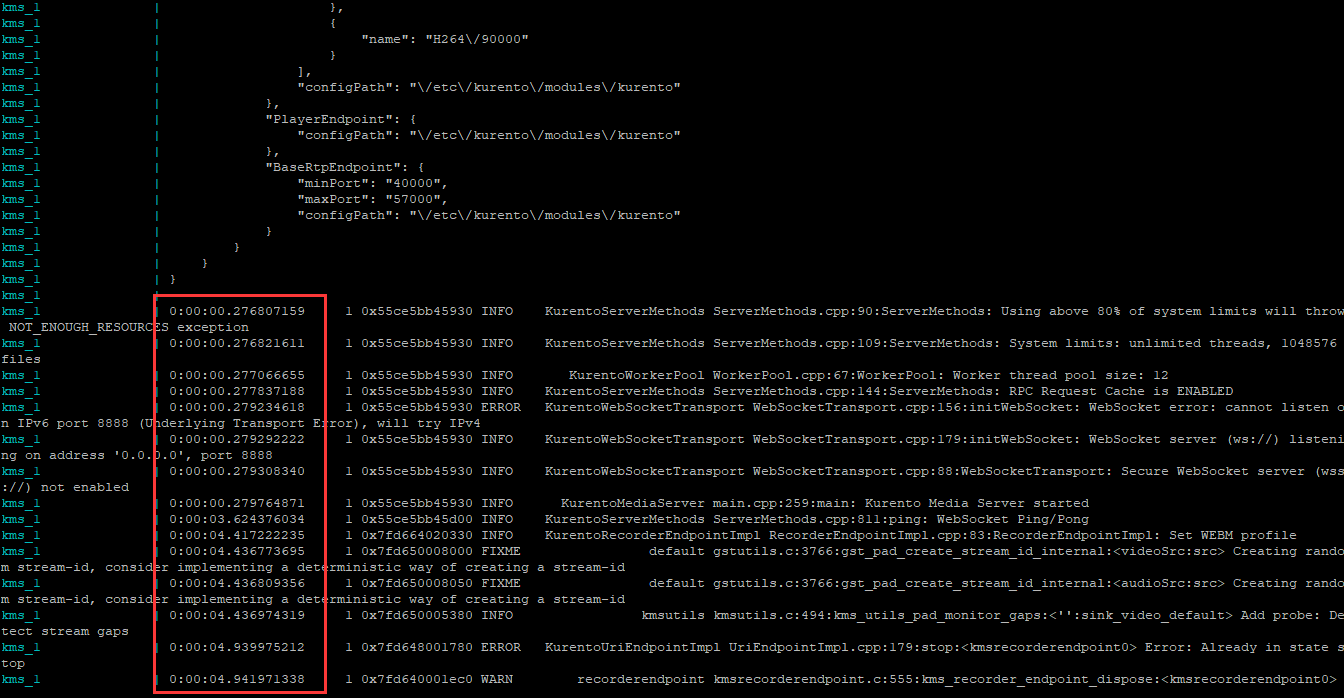
I’m not able to see a meaningful datetime. How can I find the datetime in KMS logs? Thanks
---
### Author:  [@cruizba](https://openvidu.discourse.group/u/cruizba)
#### Post date: [October 30, 2020, 10:34am UTC](https://openvidu.discourse.group/t/how-to-see-the-correct-date-time-in-kms-logs/2209/2 "2020-10-30T10:34:24Z")
Hi @Micky_Huang1. Thank you for your report. This is a known issue in KMS, you can see it here: [https://github.com/Kurento/bugtracker/issues/545](https://github.com/Kurento/bugtracker/issues/545)
The only way you have to show logs with current time is to launch the Kurento Media Server with this env variable: `KMS_LOGS_PATH=`
You can for example create a volume like this in your kms service:
```auto
volumes:
- /opt/openvidu/kurento-logs/:/opt/openvidu/kurento-logs
```
And configure this env variable:
```auto
environment:
...
KMS_LOGS_PATH=/opt/openvidu/kurento-logs
```
This will save the logs into this specific directory with current time.
Regards,
Carlos
---
### Author:  [@Micky\_Huang1](https://openvidu.discourse.group/u/Micky_Huang1)
#### Post date: [November 3, 2020, 11:02am UTC](https://openvidu.discourse.group/t/how-to-see-the-correct-date-time-in-kms-logs/2209/3 "2020-11-03T11:02:35Z")
Hi, cruizha, I have change my settings as below:
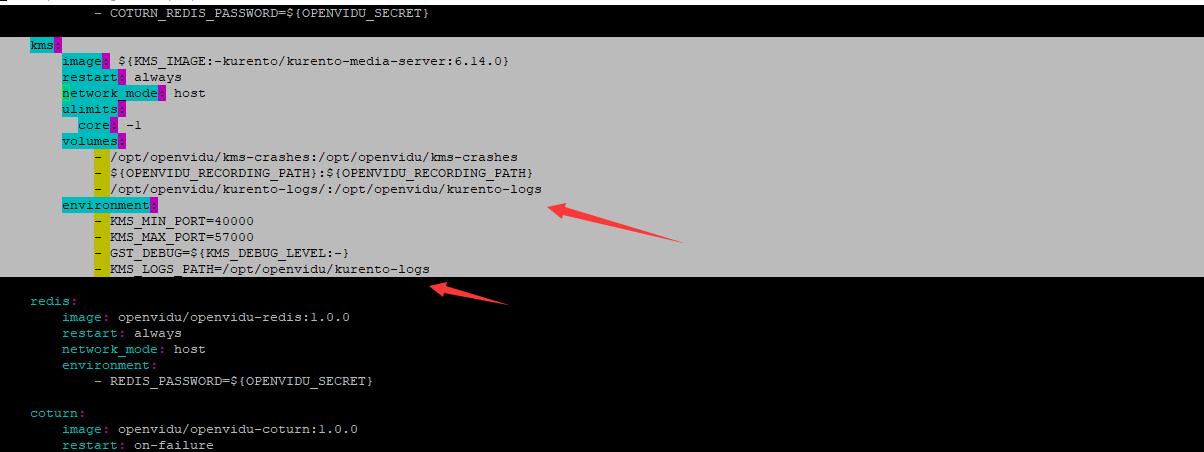
However, no logs show in the folder /opt/openvidu/kurento-logs after video conference created. Anything missed? thanks
---
### Author:  [@cruizba](https://openvidu.discourse.group/u/cruizba)
#### Post date: [November 3, 2020, 12:13pm UTC](https://openvidu.discourse.group/t/how-to-see-the-correct-date-time-in-kms-logs/2209/4 "2020-11-03T12:13:34Z")
Sorry, I’ve misspelled the variable `KMS_LOGS_PATH`. It is:
```auto
- KURENTO_LOGS_PATH=/opt/openvidu/kurento-logs
```
---
### Author:  [@Micky\_Huang1](https://openvidu.discourse.group/u/Micky_Huang1)
#### Post date: [November 4, 2020, 1:19am UTC](https://openvidu.discourse.group/t/how-to-see-the-correct-date-time-in-kms-logs/2209/5 "2020-11-04T01:19:37Z")
It works now, thank you!